This is my first post here, so I can’t start it without thanking Nick for creating and supporting PopClip for all these years. I can’t imagine using my Mac for a day without it .
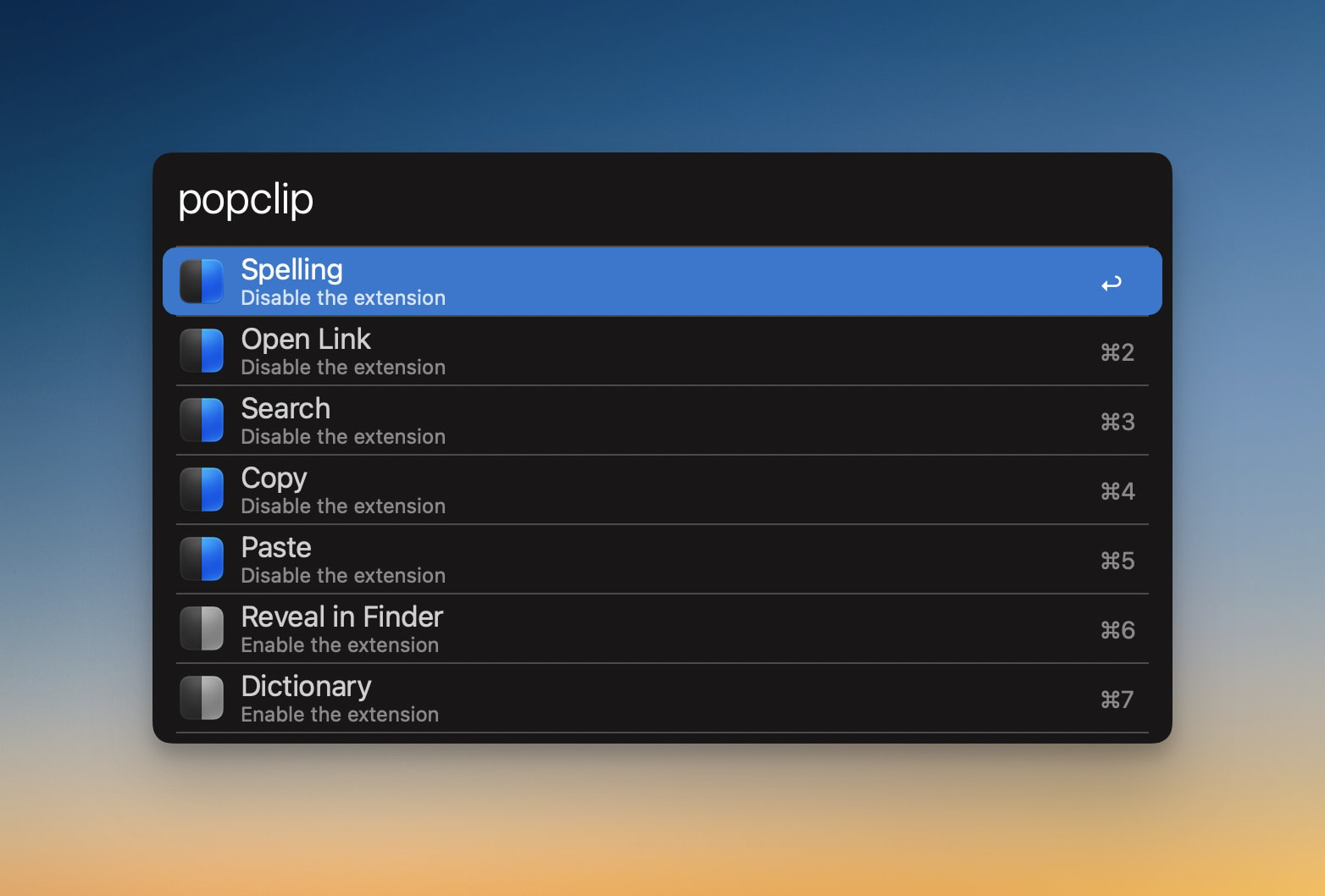
I had an idea / feature request for an AppleScript support to getInstalledExtensions and toggleExtension. So we can easily manage our PopClip extensions with Alfred or Raycast.
Here is an Alfred workflow mockup to better show the idea:
Note: I’ve already shared the idea with Nick on Reddit, but I thought I’d share it here as well, so we have an open space for updates, discussion, and community interest.
I’d love to understand more about your workflow and why you would want to manage PopClip extensions in this way. Just to help me understand the need for this, I would have thought you could just do it using the PopClip interface, but of course that’s just me. I’d love you to describe your vision for this in a bit more detail.
Thanks for asking. As the PopClip extension library grows, I keep discovering useful extensions that aren’t necessarily for everyday use. For example, I’m writing a post in Markdown right now, and there are a few extensions that could be helpful for this particular task. But once I’m done, I don’t want to keep them enabled until I need them again. The same goes for developer tools, writing tools, and other specialized extensions.
Of course, I could use folders or the required field, or enable/disable extensions through the PopClip UI. But in practice, I find myself not doing any of that most of the time. Instead, I stick with the basic, generic extensions I rely on daily. I rarely go into the settings to enable an extension I’ll only need for the next few hour and then disable it again.
I think an Alfred workflow would make this much faster and more intuitive, encouraging me to actually use more of these extensions for specific, one-off tasks rather than leaving them unused in my library.
Another bonus advantage is that, with AppleScript support, users wouldn’t be tied to this predefined workflow. For example, they could create a Shortcut to enable/disable multiple extensions at once, or use automation triggers based on their workflow.
That’s the main idea: to make it effortless to bring the right tools into your workflow when you need them, and get them out of the way when you don’t.
I understand. There is definitely a tension between “tools I have set up that I use all the time” (which you lay out carefully in your PopClip bar) and the long tail of tools you might want to reach for occasionally, but it’s too much work to keep organised.
I tend to think what we really need is an “Extras/Other” bucket which appears at the end of the bar. Maybe rename the Enabled flag to “Show in Bar”. Then anything that’s not enabled still appears if you hit “Other”, probably in a dropdown list, searchable by typing the name of the action.
Something like that.
That’s not to rule out the AppleScriptability, which I think could have general uses beyond the Alfred / Raycast application.
Mmm, this is a cool idea and could be useful in many cases. However, there are also situations where I want to use an action multiple times in a short period, so I’d like it to be easily accessible from my main bar without requiring multiple steps to trigger it.
For example, imagine I have some code and want to rename its variables from camelCase to snake_case. I wouldn’t normally have that action enabled, but in this case, I will need to use it multiple times within a few minutes.
Sure, I could open PopClip, enable the action, and disable it again when I’m done. But I know myself well enough to realize that I’d end up renaming everything manually out of laziness or simply because I don’t want to break my focus.
That’s why I feel it would be much more intuitive to handle this through an Alfred workflow, enable/disable actions as needed in seconds without switching between apps or interrupting my workflow.
 .
.