I can’t use Apple Translate in easydict. It says “Failed, Apple Script Error: Not authorized to send Apple events to Shortcuts Events.” The Easydict-Translate-V1.2.0 Shortcut is installed. Could someone please help me?
1 Like
System Settings under Privacy and Security and then Automation. Under PopClip, you’ll see a list of applications for which permission was previously asked. If you clicked Deny at some point in the past then that would be recorded here, and macOS would not ask you again.
So, make sure Shortcuts Events is enabled:
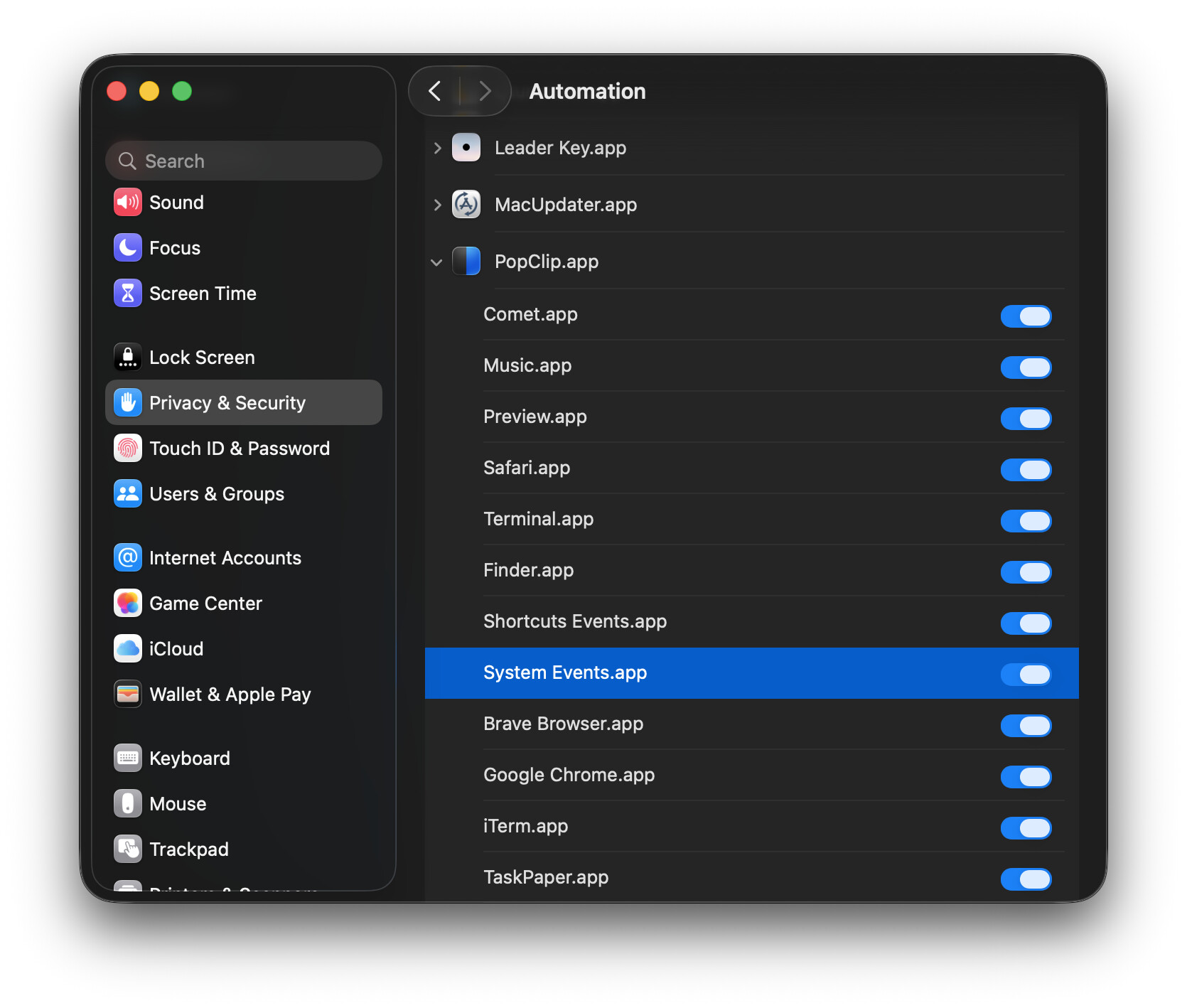
Thank you nick,
Under Popclip, there are only Safari, Textedit, and System Events. What should I do about the others?
It might be some kind of macOS glitch.
Can you try entering the following command in Terminal which should reset the Automation permissions for PopClip back to zero:
tccutil reset AppleEvents com.pilotmoon.popclip
(or if you are using Setapp edition, pilotmoon.popclip-setapp)
Then try again with the extension, and hopefully you get the permission prompt.
Thank you nick, but it did not work.
This is probably not a problem with Popclip, but rather that I have configured something incorrectly somewhere, especially in Easydict. This is because the same error occurs even when I click ‘Select Translate’ in Easydict and enter text. So, this is limited solely to Easydict, and it implies that I am setting things up incorrectly. It is really annoying.