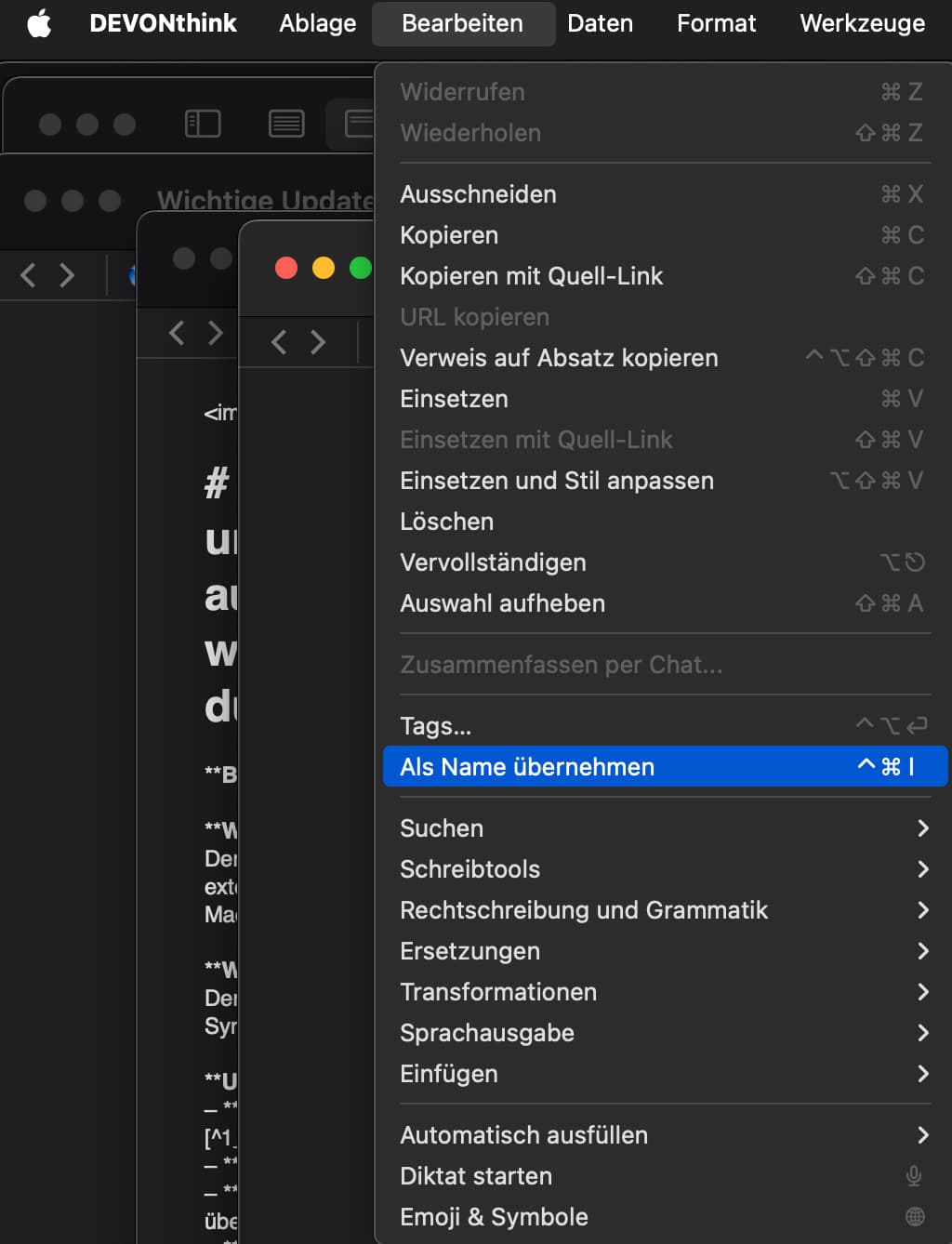
#popclip
name: Set Name As
key combo: command control I
required apDevonthinkevon-technologies.think3]
It doesn’t work anymore. This might be because Devonthink changed the application name.
As far as I know, the application name should be changed to “Devonthink”, which I have tried, but it still doesn’t work.
Is the “key combo” wrong? The screenshot shows which menu I want (sorry, it is in German). Can anybody tell me if I have to change the “key combo” and then what?
Your help is much appreciated!
Best regards,
Per
I just got an answer from Devonthink. The application name should be changed to “com.devon-technologies.think”. I did that, but the PopClip still doesn’t work