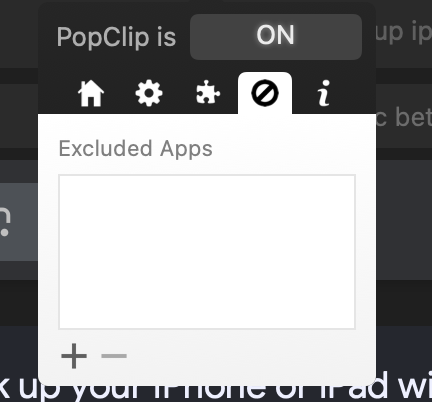
Is there a way to increase the size of the menu. It is really small on my Mac, and almost all of the clickable items are unresponsive. Here is a summary:
- The top icon menus work fine. I can get to each size of the menus.
- I am specifically looking to exclude apps, but the ‘plus’ sign does not respond when clicked. For some reason, I thought it worked before, but the app is not excluding pop clip from that app. (Popclip itself works perfectly)
- On the enable/disable menu, I have mixed luck clicking on the enable disable checkboxes.
I think if the menu could be bigger or even if there was a way to open up settings in a different window, that would solve my issue.
I’m looking out here to see if there may be a solution. I did a couple of searches for an answer but didn’t find one. Thank you in advance.