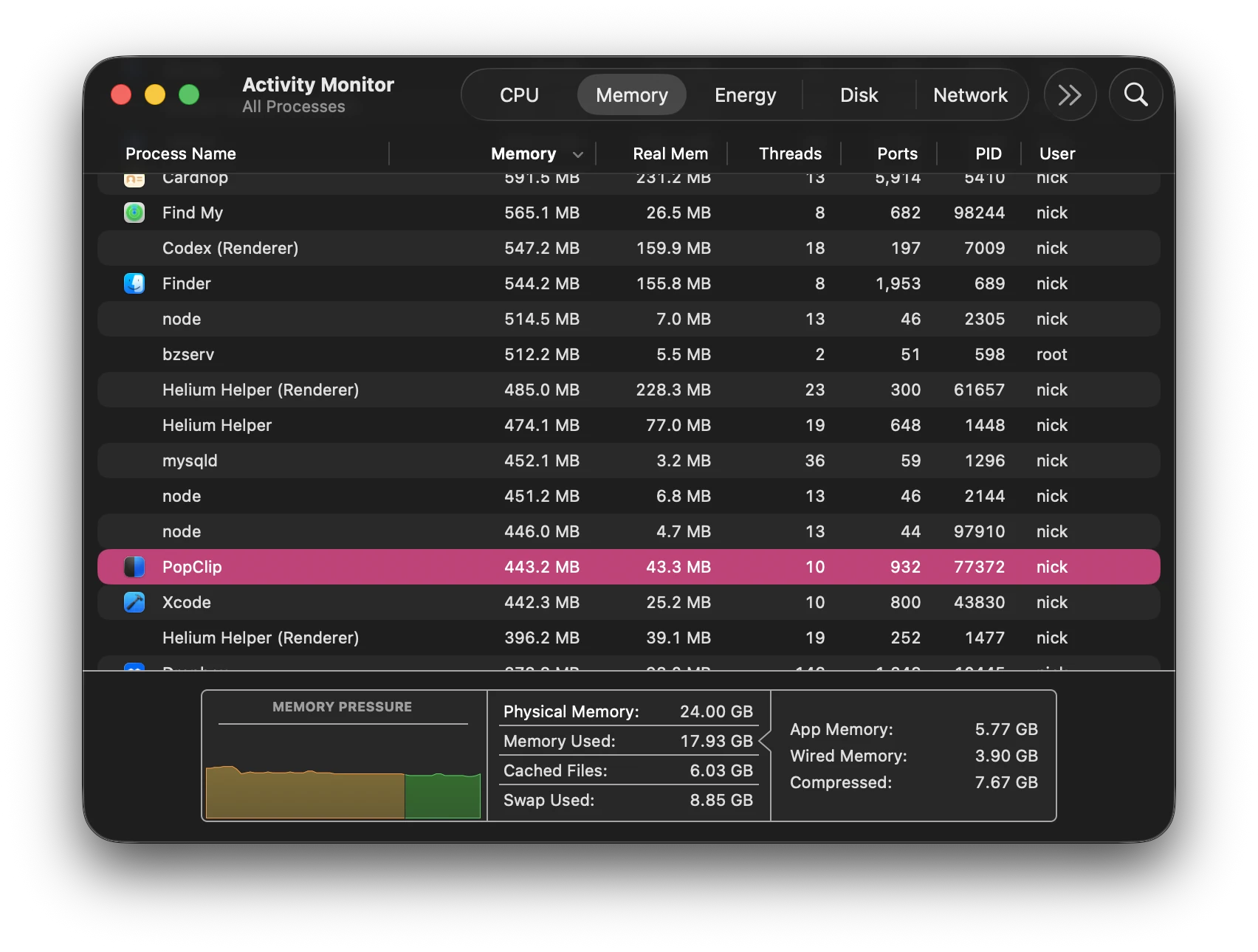
I have a general question about PopClip’s memory usage, particularly with custom extensions.
Sometimes I notice RAM usage increase even when I’m not actively using PopClip. What extension related mechanisms can contribute to this? for example regex/requirements, JavaScript/modules, bundled libraries, dynamic actions, network requests, async operations, or Shell/AppleScript actions, submenus etc.. ?
Are there any general guidelines or best practices based on your experiences for keeping PopClip’s background RAM usage low without hurting functionality?
The reason it’s relatively high is because PopClip uses JavaScriptCore (Apple’s built-in JavaScript execution framework) internally to implement a lot of its operations as well as running extensions. Whilst this brings a lot of benefits, one drawback is that JavaScript environments are known for requiring more RAM than native code.
I can’t really give you a specific answer as to what would make it higher or lower. Although certainly, if a network request downloads a lot of data, that will temporarily spike the RAM a lot.
I had previously noted myself that I’d like to investigate memory usage more deeply to see if there’s anything I can to trim it down. I’ve noticed it is now typically in the 300-400+ MB range for me if I have a lot of extensions installed, whereas in the past it was more the 100s or less,
Much of this is virtual RAM (allocated swap and compressed memory), of course, so it’s not actually using that much physical RAM in your machine. If you enable the Real Memory column in Activity Monitor, the picture doesn’t look so bad.
I have a little bit more concrete data to share on what increases PopClip’s RAM usage.
I’ve identified that the single most likely thing to increase the RAM usage is using the icon picker. Currently, PopClip’s use of memory for storing icons is not efficient, and it’s not very good at evicting image data from its cache. For example, if you open the icon picker, do a few Iconify searches, and scroll the results, that will spike the memory a lot. PopClip isn’t very good at reclaiming that memory at the moment.
The other area is, like I mentioned, the JavaScript runtime. There may be some fine-tuning that can be done here too.
My priority will be, first of all, to address the way PopClip stores its icon images, which should have a noticeable effect on memory use.
I’d also like to briefly touch on what you said about PopClip appearing to use more memory even when not using it. In fact, PopClip is “in use” almost all the time. Pretty much every time you click the mouse, PopClip comes into play to analyze the click/drag to see if you are selecting text. Even if you haven’t actively clicked into the PopClip settings or used the PopClip bar, PopClip is always running and doing something. That’s just a part of the way it works. Therefore, it would be normal for memory usage to go up and down even when you’re apparently doing something else.
I use the Google search extension (with Brave…) quite a bit. Recently it’s been producing long waits and the spinning wheel of death – is that a PopClip RAM issue?
That is indeed a known issue, but it’s not a RAM issue.
In fact, the “spinning wheel when opening a search tab” is something I believed I fixed in the latest version of PopClip, version 2026.8, released a few days ago. Can you please confirm whether you have already upgraded to 2026.8 and still seeing the problem? Or if still on a previous version, please upgrade and see if there is any improvement.
I identified several areas where PopClip was using more RAM than it needed to. I’ve addressed these and pushed an update in the beta channel (Build 6185).
If you choose to run it, you’ll notice that Activity Monitor reports significantly reduced memory usage for PopClip compared to 2026.8.
Memory-consuming, from an extension developer’s point of view: running JavaScript code that produces and retains a lot of data (i.e. creates many objects, or even a few large objects). For example downloading and retaining large amounts of data from network requests. Extensive use of the bundled libraries, or custom JavaScript libraries, may increase it too.
Basically, since extension JavaScript has free reign to run inside its own JS sandbox, whatever JS objects it creates may contribute to PopClip’s total memory footprint.
Using requirements or regex wouldn’t spike memory usage, nor would using shell or AppleScript actions, or submenus. Using dynamic actions could mildly increase memory usage because it’s increasing the amount of JavaScript that’s being run all the time and thus keeping those objects alive rather than being garbage collected.
However, with the beta update, I don’t think you’ll be noticing memory issues so much, so it may become less of a question from now on.