PopClip 2026.8 is mostly a maintenance and cleanup release, following up the feature-packed 2026.7 release.
What’s New
Note: Versions 2026.7 and later are a paid update for users who bought PopClip on the App Store in 2018 or earlier. See PopClip 2026.7 announcement for details.
New
- A function key (F1, F2 …) can now be used on its own as the keyboard shortcut to show PopClip.
- The “View Source” command now opens a source viewer window with “Export…” and “Copy Snippet” buttons.
- Per-action settings menus now have an “Extension
 ” submenu, giving easier access to commands like View Source.
 - Clicking the spinner while an action is running now shows a “Cancelled” indicator if it cancels the action.
- When an AppleScript action fails because automation permission has previously been denied, PopClip now shows an alert explaining how to fix it.
- Added Swedish localization.
Changed
- New tabs opened from within a browser open next to the current tab rather than at the end of the tab bar (in supported browsers — Safari and most Chromium-based browsers).
- Reverted to the original “keep on clipboard” behaviour when an action pastes text. This was changed in version 2026.7 to restore the previous clipboard contents, but after user feedback the original behaviour is back by default. Use
defaults write com.pilotmoon.popclip KeepPastedTextOnClipboard -bool NOif you prefer the alternative.
Fixed
- Fixed: Getting stuck trying to open tabs in browsers.
- Fixed: In Chromium-based browsers, tabs opened in the background with Shift-click flashed into the foreground briefly.
- Fixed: Erroneously appearing from the keyboard shortcut while an action is still working.
- Fixed: PopClip bar not aligning centrally when neither Copy nor Paste is present in the bar (regression in 2026.7).
- Fixed: Laggy button highlight in keyboard mode.
- Fixed: The clipboard could be left holding the wrong contents if ⌘C was pressed while the PopClip bar was about to appear.
- Fixed: The settings sheet staying open after choosing Duplicate.
- Fixed: An extension could sometimes appear to install while adding nothing to the actions list.
- Fixed: Some extensions could have the wrong icon in settings.
- Fixed: The adjustments panel in the icon picker could be too tall in some languages.
- Fixed: Opening a link in the wrong browser process when tools like Playwright or Puppeteer are running multiple instances.
- Fixed: Improved compatibility with FilePane.
- Other bug fixes.
For extension authors
- All of PopClip’s built-in actions — Cut, Copy, Paste, Search, Open Link, Reveal in Finder, Dictionary and Spelling — are now implemented as ordinary PopClip extension snippets, bundled within the app. Choose View Source on any of them to use them as a basis for your own modifications.
- PopClip’s JavaScript environment has substantial new capabilities, including the ability to run AppleScripts and Shortcuts from within JavaScript code. See the developer changelog.
Version 2026.8.1
Fixed
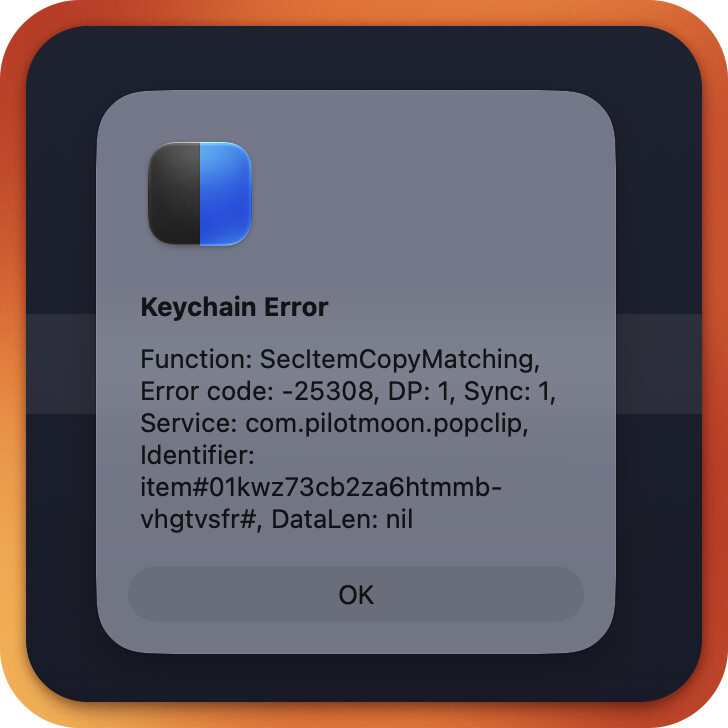
- Fixed a repeating “Keychain Error” alert after the Mac had been left with its screen locked for a while.
- Fixed PopClip appearing prematurely during double- or triple-click-and-hold text selection.
- Fixed actions not being flashed in the settings list on reinstall when in subfolders.
- Reduced memory consumption.
- Other bug fixes.
For extension authors
- New capabilities including calling shell scripts from JavaScript actions, and simplifications to the snippets format — see developer changelog).
Version Information
- App: PopClip
- Homepage: https://www.popclip.app/
- Version:
2026.8 (6159)2026.8,1 (6221) - Release date:
August 21, 2026September 7, 2026 (backdated to August 21, 2026 for license key purposes) - Requirements: macOS version 13.5 and above; Apple Silicon or Intel processor.
How to Update
Standalone Edition
In-app update: In PopClip settings, click the “Check for updates…” command in the Software Update menu.
Fresh download: Download PopClip
Homebrew: If you installed PopClip via homebrew, you can run brew upgrade popclip.
Setapp Edition
Link: Setapp
The update will be automatically installed by Setapp. You can manually trigger the update by clicking “Check for Updates…” in the Setapp menu.
Mac App Store Edition
This update is not available via the Mac App Store. In case you were not aware, PopClip left the Mac App Store in March 2024. To receive this update, please follow the migration instructions.