Any action in PopClip will just stuck on Helium browser, and takes long time to continue. No stuck on Safari browser.
1 Like
This one? https://helium.computer/
I can’t seem to reproduce any slowness with macOS 15.6.1, PopCLip 2025.9.1, Helium 0.5.5.1. Please tell me more details (macOS and software versions), specicic steps to reproduce if any, and also – best of all – can you please record a screen video showing the problem?
Seems good on macOS 26.1 beta 3. Maybe that is a bug in beta 2. Working smoothly now.
1 Like
Same issue, latest version of Helium, system is Tahoe 26.0.1 official version, it gets stuck for a long time.
Could you tell me some more details of the steps to reproduce the problem, or send a screen recording, @TomT ?

Thank you @TomT - what email did you send it to? I don’t seem to have received anything.
What action were you doing that led to the spinner?
I just sent an email to support@pilotmoon.com. Please check it. If need more information, please contact me.
The same exact thing is happening to me in the Brave browser, Brave 1.83.118, Mac OS 15.6.1. Any action I try to do with PopClip gives me the spinner and takes 10-60 seconds to resolve. It’s been happening for the past week or so.
Thank you. First of all can you please each check in System Settings → Privacy & Security → Automation if Helium/Brave is enabled under PopClip section? See screenshot.
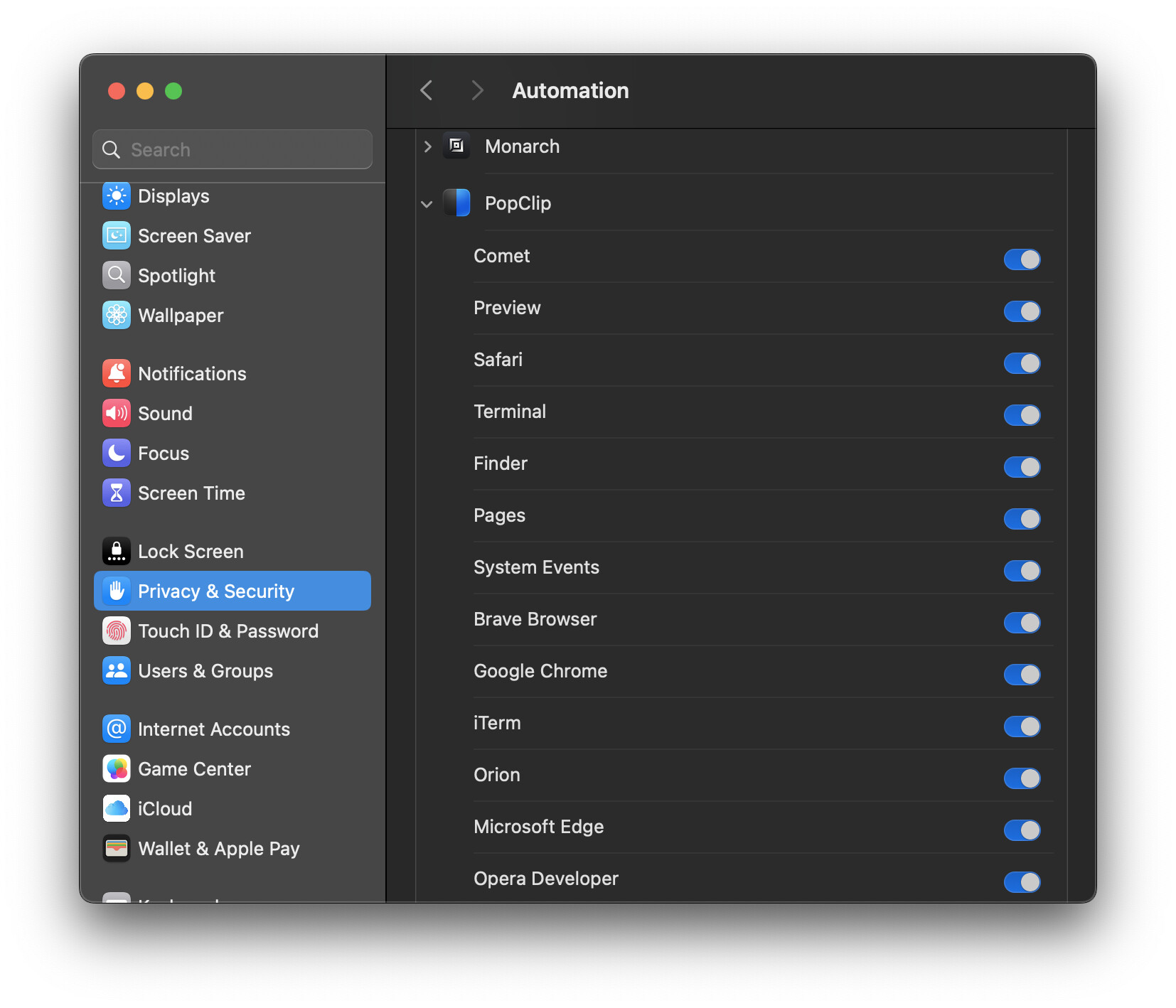
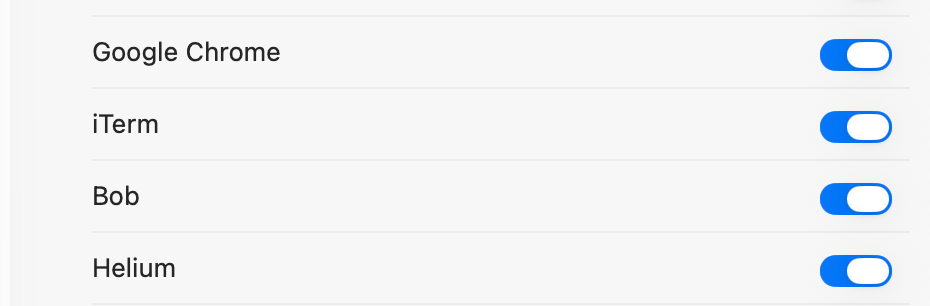
I’m not able to reprouduce this issue myself yet, either on Sequoia or on 26.1 beta 
Let’s try to gather more information.
Can you please try the following Terminal command, then restart PopClip and see if any change?:
defaults write com.pilotmoon.popclip DisableBrowserTabScripts -bool YES
I tried the Terminal command and restart PopClip, but it still gets stuck for a long time.
1 Like
Thank you for trying. I need to think about what could be happening. Without being able to reproduce it here, it is difficult.
For now the only thing I can think to recommend is clean reinstall of Helium.
I will try, wait😠
Unfortunately, it failed. I uninstalled and reinstalled Helium but it’s still the same.
The example in your video looked like a Perplexity extension.
Is there any action in PopClip that does work – for example does the same problem occur with the built in Copy command in PopClip?
If you can give me a list of actions which work and which don’t that may give me a clue.
My switch is also on, and a reinstall doesn’t change anything. FWIW, PopClip was working perfectly with Brave until this started happening.
For me, Cut, Copy, Paste, and Character/Word Count all work fine. Anything that requires opening another service/tab (search, go to Wikipedia page, translate, find on Google maps, create new note in Bear) leads to the spinner.
Another data point? I just ran the Terminal command and restarted, and general web search started working normally again. All the other non-copy/paste functions still lead to the spinner.
2 Likes
built in Cut, Copy, Paste works fine. Third-party plugins will get stuck