non_empty = [l for l in lines if l.strip()]
all_bulleted = all(is_bulleted(l) for l in non_empty)
result =
if all_bulleted:
for line in lines:
result.append(strip_bullet(line))
else:
counter = 0
for line in lines:
if line.strip():
result.append(add_bullet(line, counter))
counter += 1
else:
result.append(line)
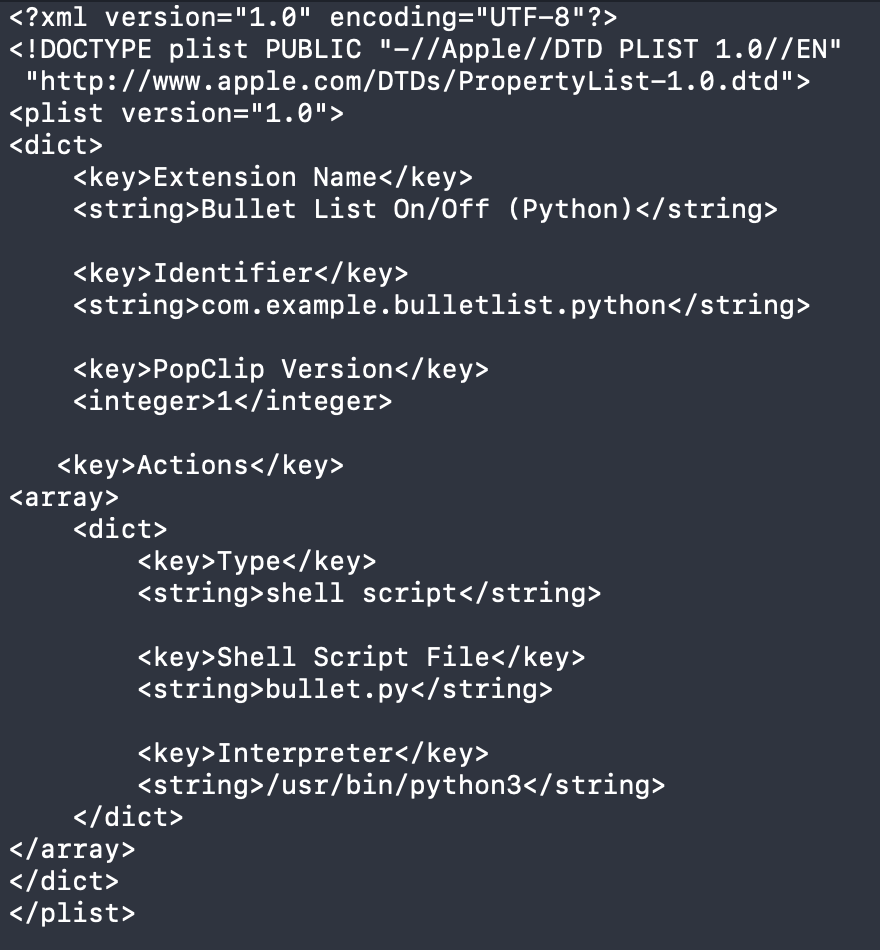
You are also using quite an old style of extension with the plist and the separate Python script in a package.
Because you posted it as quoted text rather than code, it was difficult for me to read the Python directly.
I won’t engage with the Python since I’m crap at Python anyway.
There is an easier and more modern way of doing things, which is to use a javascript snippet, which I’ll demonstrate below:
When I copied your extension above to a text file (Named “BulletList.popclipext”), popclip didn’t recognize it when I double clicked it, or single clicked it with “Open With”.
I got: “There is no application set to open the document “BulletList.popclipext”.”
Confusingly, however, the extension file does get the popclip icon.
After saving as a text file you can give it the extension .popcliptxt (note TXT not EXT suffix) to make it “double-clickable”.
(.popclipext is used for folders)
Alternatively, you can simply select the whole text and click Install Extension in PopClip without even going to a text file. Although it’s of course nice to have a text file when developing anythign substantial.