So I hit CMD-R a few times since reading this, feeling like a fanboy.
2 Likes
It’s out. Refresh away! 
Initial release notes written: PopClip Beta (Bulld 5898).
Will make more posts about various aspects in due course.
1 Like
So good. Quick questions
- Is there a way to trigger the sub-menu only when I press a modifier key?
- Is there a way to pass and process data or text from the parent menu into the child menu?
Hi @andy4222 . Great questions!
Yes to both. Not for simple folders, but for extensions, with the new submenu: property in the extension config (not in docs yet).
Extensions will now be able to define sub-actions that appear in a submenu when you control-click or right click. These will not be drawn with the down arrow or open automatically on hover.
So–
- normal click: activates the action as usual
- right click/control click: show submenu
This will let extensions add secondary functions.
These submenus can be statically defined in the config, or dynamically generated by code at the moment of click (I think this covers “pass or process data from the parent menu into the child”)
Extensions can also present sub-menus in the folder style with the down arrow.
I haven’t released the documentation for this or any extensions that actually use it! But it’s there in the code. In short, you add a property submenu: to the action with an array of actions you want to show in the menu,
Quick example (statically defined submenu tree):
#popclip
name: Fish Bowl (right click me!)
icon: iconify:mdi:fishbowl-outline
javascript: popclip.showText("Who's swimming?");
submenu:
- title: Goldfish
  icon: iconify:mdi:fish
  javascript: popclip.showText("I'm a fish");
- title: Whale
  icon: iconify:lucide-lab:whale
  submenu: # no action defined -- so this appears like a folder
  - title: Jonah
    icon: iconify:famicons:man-sharp
    javascript: popclip.showText("Help!");
Still tweaking the exact submenu details, so bear with me on the fine details.
All feedback welcome.
More information to follow. Feel free to ask more questions!
2 Likes
I’ve downloaded and will be testing My first question/filling is about keyboard only. If I call PopClip by keyboard, there is no option to use arrow keys (and enter to accept selection). Do you think it is possible te implement?
1 Like
After you activate PopClip with the keyboard shortcut, you can use arrow keys and Enter for selection. Left and right to go between buttons, and down/up to enter/exit a folder. See here:
It works, great! (I don’t how I’ve checked it, maybe not fully restarted app after upgrade).
I have one more idea/question. Sometimes I just want to paste short text, created by action(not converting selected text, just generate new). It would be nice to call PopClip using keyboard and see actions even if nothing is selected. Maybe only actions which has special flag like “I don’t need selected text in clipboard, because I will generate the text and paste”. Now, when nothing is selected, I see only “Paste” in menu.
Maybe stupid idea, but I fill that it could be interesting for others. Some actions may generate clipbord and next action could transfer it to another format … etc.
10 posts were split to a new topic: Text-based icon font size
dynamically generated by code at the moment
Love it!
right click/control click: show submenu
Would keys like ⌥ and other modifier keys be available as a secondary click action instead of right click?
No. Option is reserved for extensions to use for whatever they want.
Shift is reserved for background tab opening and/or copy instead of paste.
Command doesn’t do anything right now, but I’ve got plans for that in the future.
But control-click works! And it’s already the equivalent of right click.
1 Like
This already exists  Set
Set requirements: [paste] on the action.
Yes, that’s a good idea. It’s a bit chaotic in here  . I will start a dedicated beta thread, but probably not until Monday.
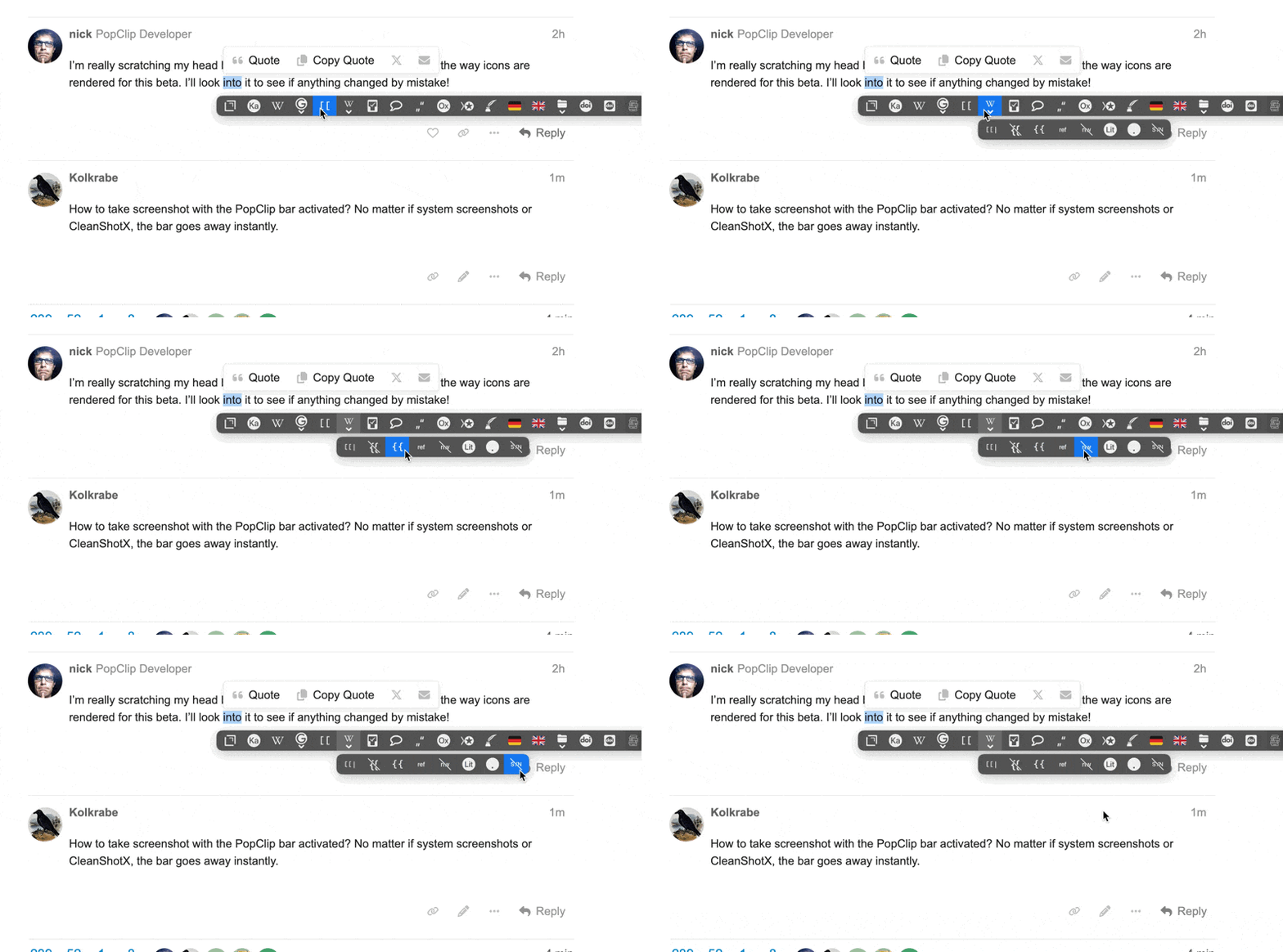
How to take screenshot with the PopClip bar activated? No matter if system screenshots or CleanShotX, the bar goes away instantly.
Recording GIFs works.
2 posts were merged into an existing topic: PopClip Beta feedback thread (Build 5903)
defaults write com.pilotmoon.popclip ScreenshotMode -bool YES
With ScreenshotMode on, PopClip doesn’t disappear when you press keys. This allows you to take screenshots 

(Don’t forget to turn it off after with NO.)
Alternatively, use CleanShot’s Timer mode.
1 Like
Hi @nick,
The he new folder feature is amazing, thank you for keep updating!
Right now, the new folder feature shows sub-extensions on mouse hover.
Is it possible to change it so that when clicking the folder button triggers the first extension in the list?
So the folder button is not just a folder collection button!
That’s an interesting suggestion. I’m not sure if it’s the way I want to go, but I’ll certainly give it some thought.
1 Like